Changelog
What changed in OBEATR, version by version.
v0.41.0
- A short start guide now greets you once on the home page, even if you’ve been around for a while: tap what you’re into (JOI, anal, edging, feet and more), what you play with and how it should sound – with a live preview of the depth guide and beat, and a few matching games to start with. All set up already? Just skip it.
- New row “For you” on the home page: games that match your preferences. Change them any time with “Change” in the row or under Settings › Playing › Preferences.
v0.40.0
- Better on phones: on iPhone, Safari now colours its bars at the top and bottom in OBEATR’s colour, like it does on other websites.
- Game page on phones: the cover runs edge to edge at the top, the creator sits in the top right corner of the picture, and tighter spacing leaves more room for the game.
- Stories and modes (Daily, Random game, Slots, Dice board): the picture keeps its size while text comes in – the text scrolls up behind the picture, and you can scroll back through everything that was said. New text scrolls into view by itself unless you scrolled up to read. Text appears more smoothly: speech bubbles no longer grow while typing, and letters and words fade in softly.
- Depth guide in the way? Drag it into any corner of the picture – OBEATR remembers the spot. Under Customize you can also set its height (top or bottom).
- For creators: new switch “Instant image changes” (⚡) in the story editor. Sequences then change without a crossfade and the new picture is there at once – like on Milovana, great for pictures that only flash up briefly. Stories also load pictures further ahead and keep them ready, so they appear without delay.
- Faster navigation: game cards and “Play” start loading the moment you touch them, the game page no longer waits for extras like top players, and a thin bar at the top shows when a page needs a moment. Taps no longer hang now and then, cards react to your finger with a small press, and switching tabs, tags or pages in the game list starts at the top again.
v0.39.0
- Creators wanted! OBEATR lives on the games you build, and we need more of them. If you ever wanted to make your own rhythm game or interactive story, now is the time: open Create, paste a video link or start a story, and share it with everyone. Every published game earns you 100 loyalty points, and you get more whenever someone plays it.
- New: the first time you open Create, we ask whether you want to become a verified creator. Verified creators get a badge on their profile, upload their own voice tracks for video games and use their own sounds in stories (the last two with Pro). Verification is free, we check every request by hand – and you can ask any time from the Create page.
v0.38.0
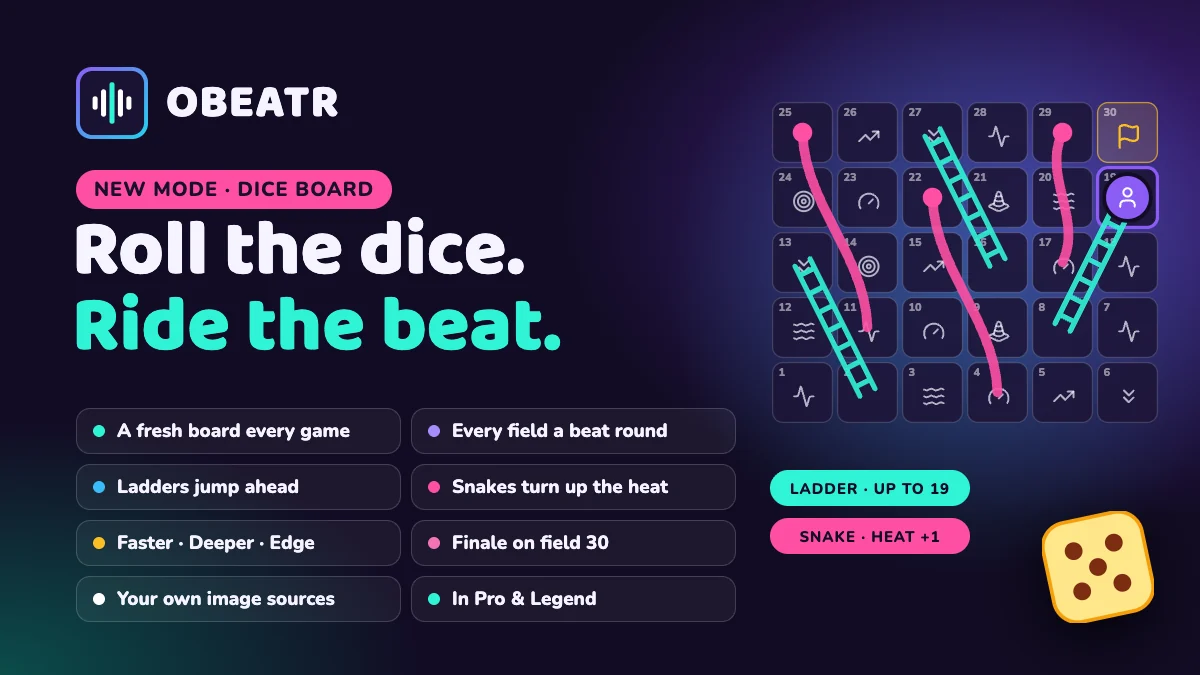
- New: Dice board (Pro). Snakes and ladders on the beat: roll, watch your piece move, and dive into the field you land on – the board zooms into it and a short round starts: faster, deeper, wave, build-up, red light or edge. Ladders jump ahead, snakes send you back and turn up the heat, and on field 30 the finale lets you come. A fresh board every game; your progress stays in the browser.
- New: Remote control (Pro). Open a room, share the code, and your partner steers you live from their own phone or computer – tempo, stroke pattern, pauses, your pictures (next, hold, off, pace), picture flood, hypno, commands like “Don’t come!” and permission to come. Stop halts everything at once. Steering is free with any account, and your pictures never leave your device.
v0.37.0
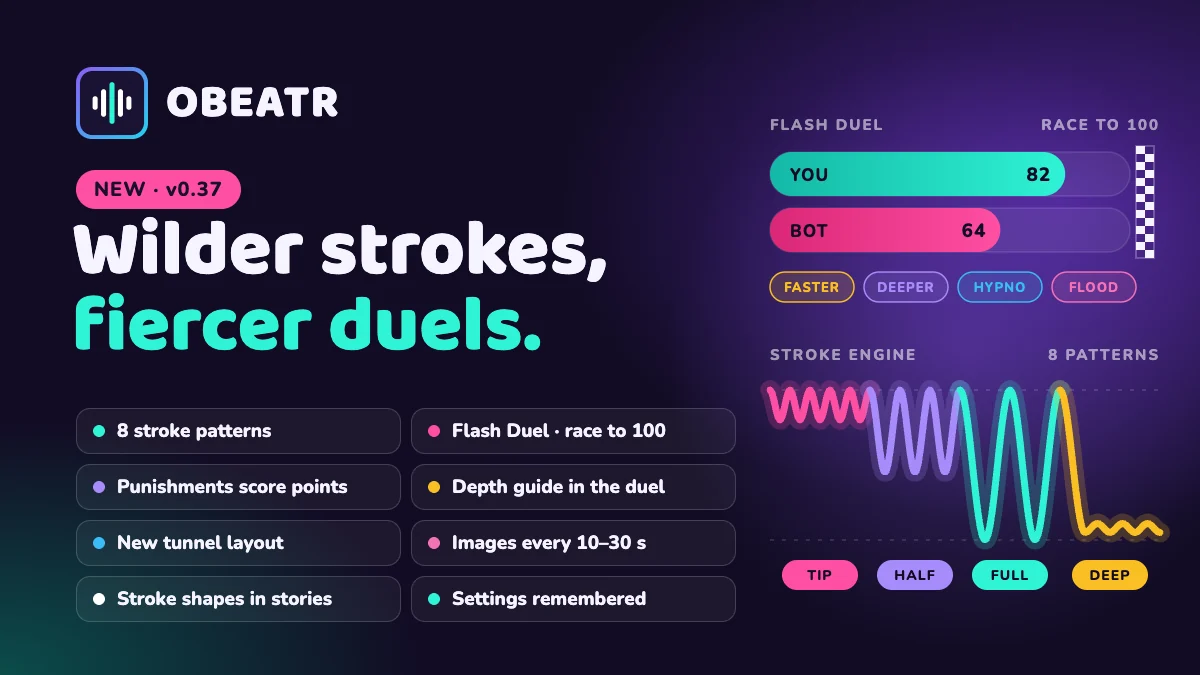
- Flash Duel rebuilt: now it is a race to 100 points, and you only score with punishments you take yourself – faster, deeper, picture flood or hypno. While one runs your points climb, several add up, and the bot takes the same punishments. Bubbles and charges are gone.
- Flash Duel: the depth guide is back in the duel – deeper means all the way in and staying deep – and connected devices now follow the depth too.
v0.36.0
- Random game, Daily and Slots: strokes finally vary. A shared stroke engine mixes just the tip, halfway in, full length, deep and slow, all the way out and quickly back in, slowly out and fast in, slowly in and fast out, or staying deep – each with a matching tempo (shallow strokes faster, deep ones slower) and a short cue. The 3D simulator uses the same patterns.
- Random game: phases are split into shorter sections, so images change every 10–30 seconds (in the tunnel too) instead of about once a minute, and some sections show a timer.
- Tunnel view: image, depth indicator and beat portal now sit symmetrically at the top (on phones the image on top, depth and portal side by side below it), text and buttons together at the bottom – text never covers the image. The blurred preview of the next image behind it is gone.
- Slots ask for image sources and intensity before the first spin. The random game remembers length, intensity and red light; Chrome and Edge also remember your own image folder (after a reload, one click reconnects it).
- Story editor: depth “With the metronome” gets a stroke shape – even, fast in and slow out, hard thrust, or slow in and fast out. In stories the “Note lane” now shows how deep each stroke really goes.
v0.35.0
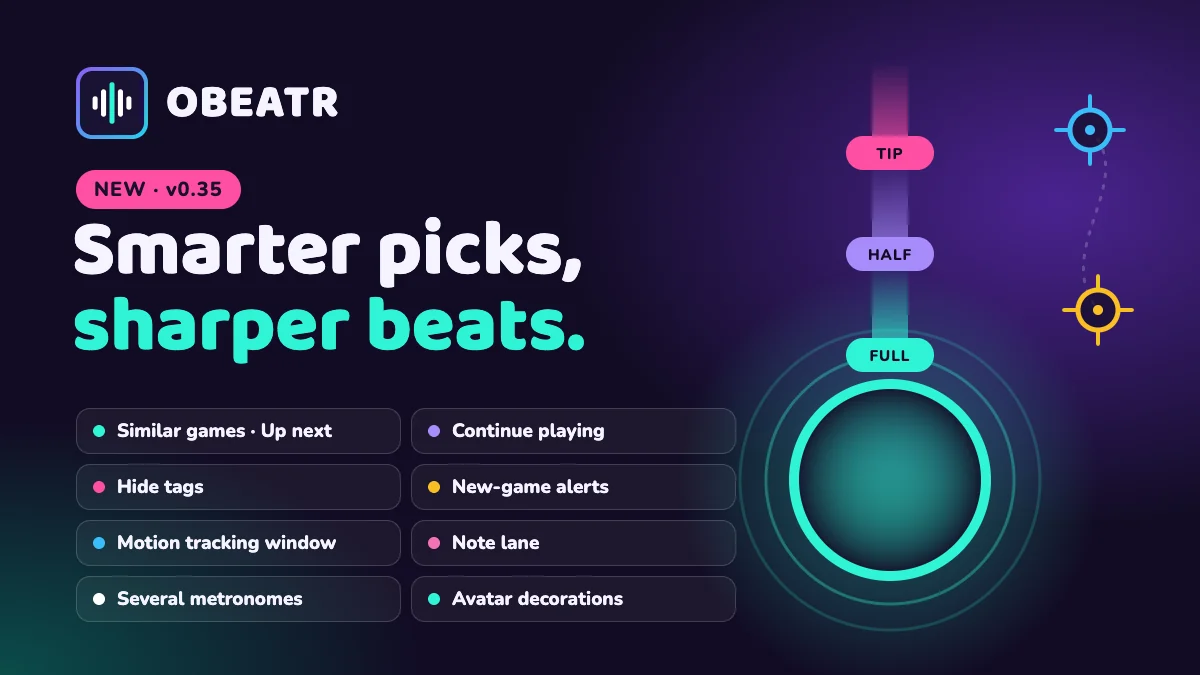
- New: “Similar games” on every game page and “Up next” at the end of a run – without games you already finished. With a connected video folder, videos you already have move to the front.
- “Continue playing” at the top of the home page brings back stories and videos you started.
- Hide tags you do not want to see: games with them disappear from rows, recommendations and the game list. The list stays in your browser.
- Get notified when a creator you follow publishes a new game. Push is optional per device and never shows the game title.
- Video editor: motion tracking opens in its own window – a large picture without beat bar, overlays and depth meter, with the panel beside it. It no longer stops when a point is hidden or the picture changes fast, only draws a point hollow when the tracker is really unsure where it is, shows exactly the frame the tracker analysed (no more lagging points), slows down by itself during fast strokes and has a POV switch that keeps point 1 in place. If the tracked part disappears for a moment (covered or out of frame), its point stays where it was last seen instead of wandering off, and the beats keep the measured tempo until it is found again; the picture runs smoothly while tracking instead of jerking. Closing it asks first if anything is not applied yet.
- Depth guide “Portal” (Pro): a free-floating 3D body – vaginal or anal, three skin tones – that your shape slides into on every beat; drag to turn it. New beat display “Note lane”: beats fall as notes onto a ring, and Tip, Half and Full show how deep each stroke goes.
- Account suspensions now always come with a reason. You see it under Settings › Account and can file a complaint there – even while suspended.
- Story mode: a sequence can now run several metronomes at once – for example one per partner. Each gets its own beat bar with an optional name and its own click pitch; depth “With the metronome” and devices follow the first one.
- OBEATR is now always dark: light mode and the light/dark switch are gone.
- Avatar frames: the thin line shapes are gone – frames are now plain color rings or a glowing neon ring (old frames switch automatically). Seven new decorations – neon, tiger, lace heart, gem heart, hawk wings, water and feet – join the catalog and move when you hover over the avatar.
- Video editor: select several depth points at once – Shift + click adds one, Shift + drag on the depth track selects a range – and move them together with the mouse or arrow keys. Ctrl/⌘ + A selects everything of the marked kind (depth points, stops or beats), Del deletes the selection.
- The beat display “Note lane” now also works in story mode, random game, Domina and duel.
v0.34.0
- New on the home page: “Trending now” shows what players finished most in the last two weeks, with two spots for fresh games. The game list can sort by it too.
- For creators with statistics: the video editor shows how much of each section players watched and which parts they often replay or skip; the story editor shows per sequence how many players reached or left it and how often each button was chosen. Everything appears from 5 players on, as totals without names, and updates in steps of 5 more.
- Video editor: stops can continue by themselves after a few seconds, with a countdown on the button. Countdown overlays can also show a clock that runs out. The climax start can be edited and shows as a range in the timeline, the middle mouse button pans the timeline, hovering an overlay shows an × to remove it, and the eye above the timeline switches the viewer lane on and off.
v0.33.0
- New: Report content. Anyone – even without an account – can report illegal content such as copyright infringements via the link in the footer. You get a confirmation and the decision with reasons by email, and can file a complaint against it.
- Creators see why a game was removed and can file a complaint right there. Every decision is made by our team, not automatically.
- Video editor: the timeline keeps its height while zooming, tracks are easier to tell apart, and the Voice tab gets its own track for voice clips. Overlays can be resized by dragging their edges and play their animation when you change it. “Image” is now “Media”: a URL, a stock photo or random media from a subreddit (via Scrolller) or RedGIFs. The overlay list is more compact, with the add buttons always on top.
- New for creators (from Rookie): track motion in the video editor. Set two points and an AI tracker on your device follows them frame by frame – beats, depth and the min curve come straight from the picture. The video never leaves your device; without WebGPU, basic tracking takes over.
v0.32.0
- Video editor: overlays can do a lot more. Texts get size, alignment, color, a background of your choice (glass, solid or just an outline) and emojis. Every overlay can fade, pop, slide or type itself in and pulse with the beat. New kinds: a countdown, a counter for the beats left and screen effects – flash, vignette, blackout, blur. All overlays now sit as bars below the timeline, where you drag them and change start and end. Players see everything in every game, and it shows up in the video export too.
- The editor is made for big screens: on a phone the editor tab now shows a note instead.
- Stops now live in the Overlays tab and also pause the editor preview, just like for players. The timeline only shows the tracks of the open tab – beats and depth in Rhythm, stops and overlays in Overlays.
v0.31.0
- Games now opens up in the sidebar into Modes, Stories and Videos, and the Games page shows the three as big cards. Modes – Daily Challenge, random game, Slots, Flash Duel, 3D simulator and Virtual Domina – sit side by side as tall cards, each with its own artwork. Playing your own video stays with the videos. On the phone, tabs at the top do the same.
v0.30.0
- New: Flash Duel. Go 1 on 1 against the bot while the beat gets hotter and hotter. Pop bubbles for charges and throw a picture flood, tempo boost or hypno at it – the bot throws back. Whoever comes first loses. A win earns game points for your slots score (just a score, never for sale). Free on every plan.
v0.29.0
- New: Slots. Spin three reels – they set the tempo, length and task of your next round, with your pictures on the reels. Finish the round to collect game points (just a score, never for sale). Free on every plan.
- Story and random game start screens got a new look: cover, creator, play time and rating at a glance.
- Random game: the setup card now has two compact steps – game first, then pictures.
v0.28.0
- Random game – tunnel view: ride through a 3D spiral tunnel. Beats fly towards you and click as they pass the portal, the current image stands on the left and the next ones wait blurred behind it. Switch it on the random game card under “View”.
v0.27.0
- Random game – red light, green light: phases turn into rounds. On green you stroke to a jumping tempo, on red you freeze – and you never know how long red lasts.
- Random game – your own folder: pick a folder on your device and the game shows random images, GIFs and videos from it. Nothing gets uploaded, the files stay with you. Mixes with subreddits and tags.
- Images in the random game: skip any image with one tap, and choose how often they change on their own – each phase or every 10, 20, 30 or 60 seconds.
v0.26.0
- Voice track for creators: put your own voice over your video games. While you speak, the video gets quieter, goes silent or pauses – with optional subtitles. In the editor under “Voice”, for verified creators (Pro and up).
- Sounds in stories from your own files: a sound element can now use an uploaded file instead of a link – your voice files work there too.
- Legend: export your video games as a video file – with depth meter, beat bar, overlays, metronome clicks and your voice, ready for your own platforms. In the editor under ⋮ › “Export as video”. Everything stays in your browser.
v0.22.0
- Play your own: got a video and a matching funscript? Pick both under Games › “Play your own” and play right away – with metronome, depth meter and beat bar. Both files stay on your device.
- Your devices follow your script 1:1: The Handy, OSSM and other stroker devices move exactly to every position in the funscript. Vibrators and rotating toys follow the beat.
v0.21.0
- Create stories with AI: connect Claude, Cursor or any other MCP client to your account and let it write and edit your stories directly – no more copying JSON. Create a personal token under Settings › Account › API & MCP; the setup command is right there.
- Everything lands as a draft (changes to published stories as a new version). You still review and submit in the editor. Tokens can be revoked at any time.
v0.20.1
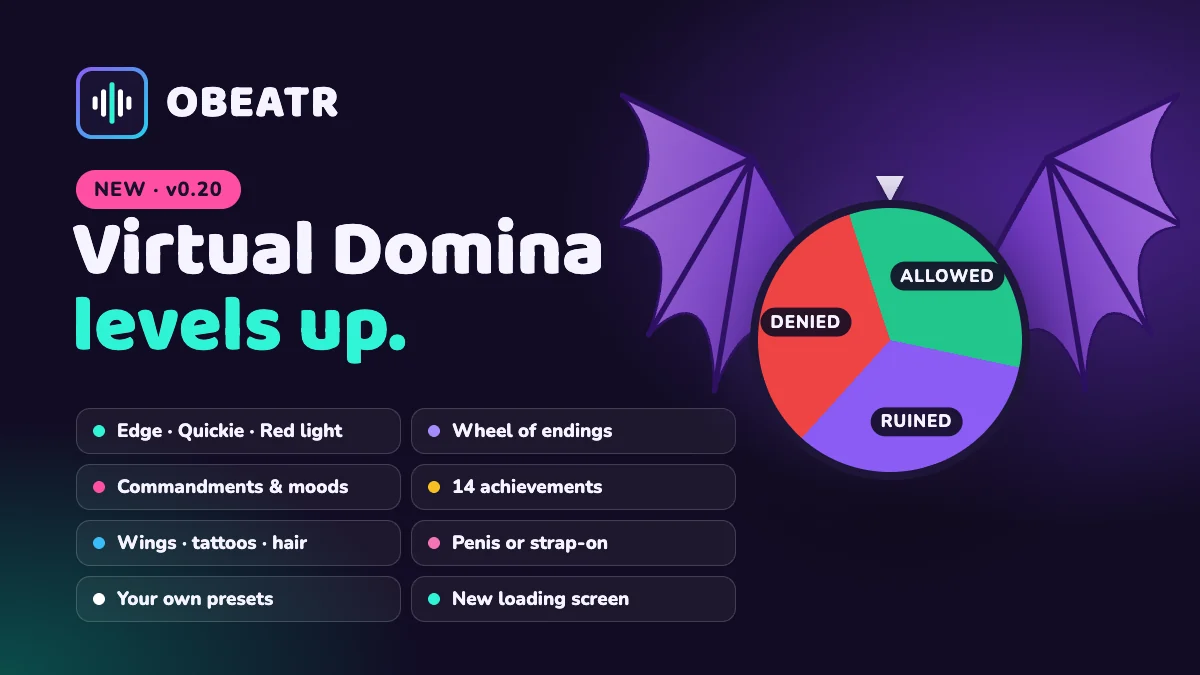
- Virtual Domina: new modes – Quickie, Edge (reach her edge goal) and Red light, green light. New ending “Until dry”, a wheel for “Her choice”, fake endings and surprise extensions.
- She has a mood of the day now, hands out commandments for the next days, learns which tasks you dislike and can insult you if you allow humiliation.
- Your choice: what happens if you cum too early, a one-handed mode, a stake per session, your own name for her, your own presets with descriptions and a random pick – plus squats and push-ups as tasks and 14 achievements.
- Style her your way – hair colour, bust size, tan lines, tattoos (womb tattoo, heart, “Property of …” lettering, stars), succubus wings with real bones and a curved membrane, and a penis or a strap-on with harness in any toy colour. Styling opens straight from her menu.
- New animated loading screen when you enter or leave the Virtual Domina and the 3D simulator – no more stutter or black frames while the scene builds.
v0.17.0
- Avatar frames: pick your frame in Settings. Frames come from loyalty levels, your plan and special events – the first event frames are on their way.
- Collection: a new page shows everything you have unlocked and how to get the rest.
v0.16.0
- OBEATR is now on Patreon! Exclusive for supporters: instant beta access without an invite code, every feature unlocked, no ads, all themes and sound packs – plus a badge on your profile and up to triple votes on the roadmap. Join now and help shape what we build next.
v0.15.0
- Video editor: keyboard shortcuts – hold R (or Alt) and click to delete a point on any track (it turns red first), M switches Max/Min, D draws, +/−/0 zoom, Home/End jump. The mouse wheel zooms the timeline, dragging the ruler scrubs live, and undo/redo is now also in the timeline bar.
- Min curve: max points can no longer sit below the min curve – they are lifted automatically. Random target: weight is now a slider, everything in one compact row.
- 3D simulator: new partner “Trans girl”, hairstyles as a dropdown with real flowing strands, dark skin as real Black figures instead of a texture swap, facial expressions, reworked missionary and cowgirl poses with hands resting naturally, and full 15 cm strokes.
- Redesigned 18+ check on the landing page.
v0.14.0
- Video editor: new min curve. Next to the depth curve (max – how deep) you can now draw a second curve (min – how far each stroke pulls back). Strokes then stay inside instead of pulling all the way out, like in regular funscripts. Switch with MAX / MIN next to the depth track. Without a min curve nothing changes. Applies to the depth guide, funscript export/import and linear devices (Handy, OSR, Keon); machines with a fixed stroke ignore it.
- Story mode: with depth “With the metronome”, devices now only pull back to “From” instead of all the way out – same as the depth guide. Crank machines (e.g. Hismith): new option “Slow down short strokes” in the device settings, so games made for servo devices don’t get harder on a fixed stroke.
v0.13.1
- Video mode: strokes now use the full range. Every stroke pulls all the way out and goes as deep as the depth curve – depth 1 now means fully out to fully in, just like story mode. Before, strokes only covered half the range. Applies to the depth guide, funscript export and connected devices; existing games feel longer without any changes.
v0.13.0
- Virtual Domina gets personal: a profile with your limits, tools and four sliders (strictness, cruelty, punishment rate, kindness), sealed with a contract you sign by holding. Lowering limits always applies at once, stop is always your safeword.
- She remembers you: rank and obedience, her attitude towards you, debts and orders between sessions – and she brings up what happened last time.
- Tasks, punishments and rewards during the session, many drawn as cards from your personal deck. Every card you draw joins your collection.
- Keyholder: she locks your cage with a live countdown, you may beg every 12 hours, the emergency release always works. Plus a daily check-in with a streak and push reminders (opt-in, discreet).
- Seeds: share any session as a code or link, start from presets, publish to the gallery and remix other players’ seeds.
v0.12.0
- Video editor rebuilt: a cleaner stage with a clear “Add a video” step, video volume, playback speed (0.5×–2× – the metronome follows) and full screen. The timeline shows track labels, beats as dots, a filled depth curve and the audio waveform of your file (computed once on your device and remembered).
- New tools: BPM box with ±1 re-timing, offset all beats by ±10 ms, snap to grid, fill a range with a tempo ramp (start → end BPM), generate the depth track from the tempo, an A-B loop (I / O / L), select all beats (Ctrl/⌘ + A) and save now (Ctrl/⌘ + S).
- Nothing gets lost: every change is backed up on your device until it is saved. If a tab crashes or you go offline, the editor offers to restore the unsaved changes next time.
- Easier start: a “Getting started” card walks you through video → beats → depth, buttons explain what they do, and the help dialog lists all shortcuts.
v0.11.0
- New for Pro (beta): Virtual Domina – a 3D mistress leads you through a session with tempo, commands, poses, moods and sounds. A portal shows the action in time with her beat, you can dress her in the styling tab, move the camera freely and your devices follow along.
- 3D simulator: new graphics style – switch between realistic and comic (toon shading with flat skin, three light levels and outlines). The receiving figure now gives way softly instead of jerking.
- Customize: devices now live in their own tab of the customize panel, with a status dot on the palette button. The panel is more compact and keeps its width.
- Rate the platform: the feedback popup asks for 1–5 stars and an optional comment. Everyone who gives feedback during the beta gets a Beta Tester badge on their profile.
v0.10.0
- 3D simulator: new partner option – instead of the man, a toy glides in. Choose from a realistic dildo and all toy shapes of the depth guide, in skin tone, black, pink, purple or clear.
- More realistic anatomy: a detailed penis with veins and testicles, and in the X-ray window you now look into a real cross-section with the canal opening around the shaft.
v0.9.0
- New 3D simulator (VIP, beta): a game mode without video – let the generator run in soft, normal or hard, or take over with sliders for tempo, depth and force.
- Realistic figures in four positions – from behind, missionary, cowgirl and kneeling – vaginal, anal or oral, with a choice of hairstyle.
- Switch camera angles or drag to look around freely, zoom in, use X-ray (whole body or just a window around the opening) and pick a background: neon, bedroom, studio or dusk.
- Your toy and the metronome click follow the simulator too.
- Daily Challenge now has a theme of the day.
- Stories save your progress reliably even when you close the page, and toys now also follow the climax in video games.
v0.8.0
- Toy support: connect your toy via Bluetooth right in Chrome (or via Intiface) and let it follow the beat – vibration, strokers and speed devices.
- Funscript import and export in the video editor.
v0.7.0
- Stories remember your progress: continue from the last checkpoint you reached – on any device – or start over.
- Creators choose which story variables (e.g. money) carry over to the next run.
- New Daily Challenge: one game a day, the same for everyone, free on every plan.
v0.6.0
- Suggest changes: found a mistake in someone else’s game? Fix it in the editor and send it to the creator, who sees exactly what changed and decides.
- Creators can invite up to 5 co-editors who edit, publish and decide on suggestions. Suggestions can be switched off per game.
- Contributors are shown on the game page.
v0.5.0
- Notifications: a bell in the header and, if you like, emails tell you when your games are approved, rejected or removed.
- Creator overview under Create: plays, players, followers and trends of all your games at a glance.
- Start new stories from a template: linear, branching, gamble or tower.
- Add links to Patreon, Ko-fi, X and more to your profile.
v0.4.0
- New roadmap: see what we are planning, what is in progress and what is done – right in the sidebar.
- Send us wishes, bugs and feedback straight from the roadmap. Only our team reads them.
- Video games now need at least 10 beats that cover a good part of the video before you can submit them.
v0.3.0
- Clearer tempo in the player: the progress bar shows calm to fast sections in four colour levels.
- The depth guide is always exactly as long as your dildo – drawn shapes too – and grows on large screens.
- Own messages when a video site blocks us or the video service is down; story images that fail to load are replaced automatically.
- Dark mode is the default, light mode got sharper contrast, and the whole game card on the home page is clickable.
v0.2.0
- Better on mobile: metronome and depth sit on top of the story media, buttons stay on screen.
- Calmer game page with poster, compact stats and a collapsible description.
- Videos are in alpha testing and not fully implemented yet – expect rough edges.
v0.1.0
- Your own stats in Settings: sessions, games, playtime and streak.
- Creators see per-game stats: completion rate, where players drop off and broken media.
- Version number and this changelog.