Funscript explained: format, players and how to make your own
A funscript is a small JSON file that tells an interactive toy where to move and when, in sync with a video. It contains a list of actions, each with a timestamp in milliseconds and a position value, and player apps read it alongside the matching video. You can write funscripts by hand in an editor or generate them from a beat map, for example in OBEATR's creator editor.
What is a funscript?
A funscript is the de facto standard file for synchronising strokers and other linear toys with video. It ends in .funscript, is plain JSON, and usually sits next to a video file with the same name, so a player can find and load both together. The scripting community has used it for years, which is why most interactive players and many toys understand it.
The idea is simple: the video plays as usual, and the script describes a motion curve that runs alongside it. The device does not need to understand the video at all. It only follows the positions the script asks for, at the moments the script defines.
The funscript file format in a nutshell
At its core a funscript holds an array called actions. Every action has two fields: at, the time in milliseconds from the start of the video, and pos, the target position, where 0 is the bottom of the stroke and the top end of the scale is the full extension. Between two actions the device moves smoothly from one position to the next, so the spacing of the timestamps sets the speed.
Most files also carry a few optional fields such as a version number, an inverted flag that flips the direction, and a range value. Editors often add their own metadata, like the script author, tags or a description. Players simply ignore fields they do not need, which keeps the format flexible and easy to read.
Funscript players and devices
A funscript player loads the video and the script, keeps them in sync and sends the movements to a connected toy. There are desktop players, VR players, browser-based sites and mobile apps. Many of them talk to devices through Intiface Central, the free hub that connects hundreds of Bluetooth and USB toys, while others use a device's own connection.
Linear devices such as strokers follow the positions directly. Vibrators and other non-linear toys cannot move up and down, so players usually convert the motion into intensity, for example stronger vibration on faster strokes. That works, but a script made for a stroker feels most natural on a stroker.
How to make a funscript
The classic way is a dedicated funscript editor such as OpenFunscripter. You step through the video and set a point at every turning point of the motion: down at the bottom, up at the top. Hotkeys for common positions, a waveform or motion preview and frame stepping make the work much faster once you get used to them.
Good scripts follow the action closely, avoid jerky jumps, and respect the speed limits of real devices. Start with a short clip, script it fully, then watch it back on a toy and correct the moments that feel off. Most creators say the second and third pass make the biggest difference in quality.
Funscripts in OBEATR: import and export
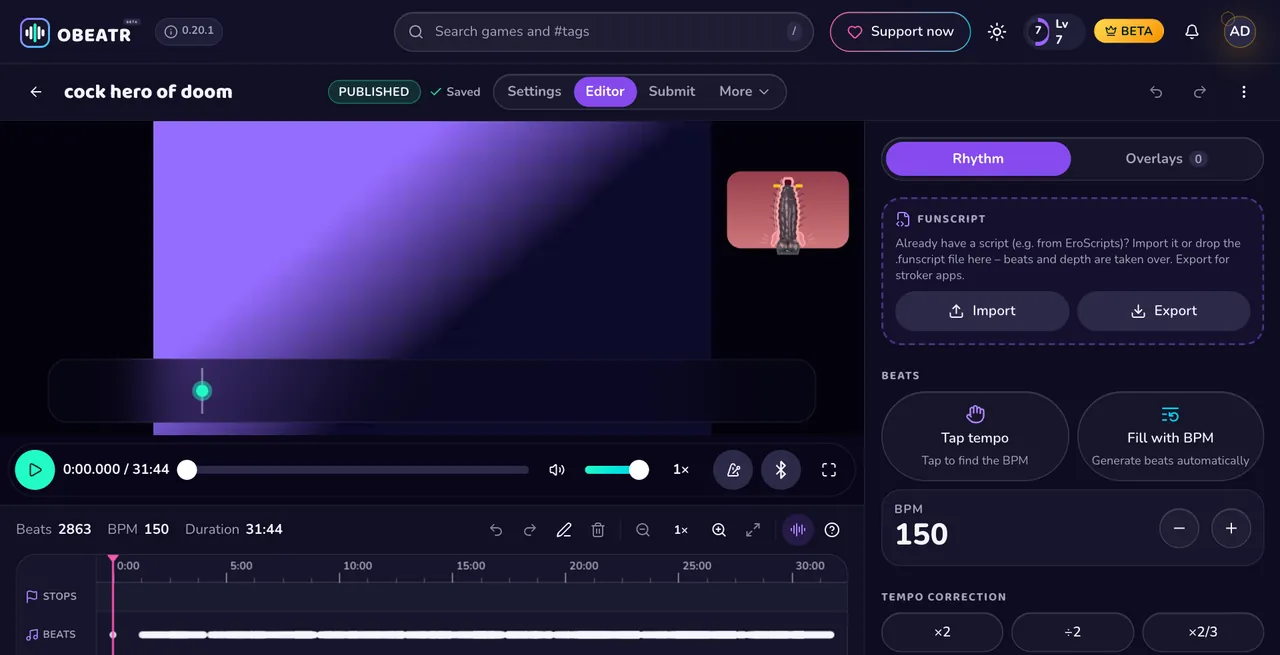
OBEATR thinks in beats rather than raw positions. In the creator editor you tap the beat in or let the beat analysis detect it from the video, set the BPM, double or halve the tempo, quantize, draw depth and add stops and transitions. When you import a funscript, its strokes become beats and its positions become the depth guide, so existing scripts are a great starting point.
You can also export your game as a funscript and use it in stroker apps. In OBEATR itself, most Buttplug-compatible toys follow the beat via Web Bluetooth in Chrome or Edge, or through the free Intiface Central app. Your video always stays on your own device: OBEATR stores only the beat map and a link to the public source.
Safety and comfort tips
Scripts can be fast and intense, so set a comfortable speed and stroke-length limit in your player or toy app before you start. Use enough lube, take breaks, drink water, and stop right away if something hurts or feels numb.
If you play with a partner, agree on limits beforehand and keep a simple way to stop the device within reach. A script is only a suggestion; your own comfort always comes first.
Questions & answers
What is a funscript file?
It is a JSON file with the extension .funscript that lists timed positions for an interactive toy. A player reads it together with the matching video and moves the device in sync.
How do I play a funscript?
Put the script next to the video with the same file name, open both in a funscript player and connect your toy, often through Intiface Central. The player then handles the timing for you.
What is the best funscript editor?
OpenFunscripter is a popular free, open-source editor for frame-accurate scripting. If you prefer to work with beats instead of single points, OBEATR's creator editor lets you tap or detect the beat and export the result as a funscript.
Can I use a funscript with a vibrator?
Yes, many players convert stroke speed into vibration strength. It will not feel identical to a stroker, but the rhythm and intensity carry over well.
Can I import a funscript into OBEATR?
Yes. OBEATR takes over the beats and the depth from the funscript, and you can refine tempo, stops and transitions in the editor before sharing the game with the community.
Keep reading
Ready to follow?
OBEATR runs in your browser: your own videos stay on your device, the beat, depth guide and toys follow along.
Get beta access on Patreon18+ only. Updated 2026-10-07.