Intiface games: how Intiface Central works and which games use it
Intiface games are games and apps that control interactive toys through Intiface Central, a free, open-source hub built on the Buttplug protocol. You start the server in Intiface Central, scan for your toy, and the game connects to it to send vibration, stroke or speed commands. OBEATR supports Intiface Central and also connects directly via Web Bluetooth in Chrome or Edge.
What is Intiface Central?
Intiface Central is a free, open-source app that acts as a hub between your toys and the software that controls them. It runs on Windows, macOS and Linux as well as Android and iOS, and connects to hardware via Bluetooth, USB, serial and more. Instead of every game supporting every toy brand separately, the game talks to Intiface Central and Intiface Central talks to the toy.
The app runs a local server that games and websites connect to over a WebSocket connection, by default on port 12345 of your own computer. As long as the server is running, any compatible app can find your connected devices.
Buttplug: the open protocol behind it
Intiface Central is built on Buttplug, an open-source library and protocol for controlling intimate hardware, from vibrators and strokers to machines. The core is written in Rust with bindings for other languages, and it is published under a permissive BSD license. The project lists support for several hundred devices across many brands.
For developers this is the big win: one integration covers a long list of toys. Buttplug also offers plugins for popular game engines, which is why you find Intiface support in everything from small hobby games to larger interactive projects. When people search for buttplug.io games, they usually mean exactly these apps.
How to connect an Intiface game step by step
Install Intiface Central, open it and press Start Server. Switch on your toy, make sure it is charged and not connected to another app, then open the devices panel and start scanning. Once your toy appears in the list, you can test it right there with a short, gentle command.
Now open the game and choose its Intiface or Buttplug connection option. If the game runs on the same computer, it usually connects to the local server automatically or with one click. The game then sees the same devices that Intiface Central found, and you can start playing.
Troubleshooting: when your toy does not connect
If the server will not start, another program may be using the same network port; close it or change the port in Intiface Central and in your game. If the toy is not found, make sure Bluetooth is on, the toy is in pairing mode and not already connected to its own app or to your phone. Restarting the toy and rescanning fixes many issues.
If the game cannot see the server, check that both use the same address and port and that Intiface Central is still running in the background. Keep the toy close to your device, update Intiface Central, and look at the toy's entry in the device list to see which commands it supports.
What kinds of games work with Intiface?
The range is wide. There are video and funscript players that sync a stroker to a clip, rhythm games in the style of Cock Hero or a metronome game, interactive stories and webteases, and adult games built in common game engines that add toy feedback to their scenes. Some browser-based sites like FapTap also connect to toys.
What a game can do depends on your device. Vibrators react to intensity, strokers follow positions, and machines are often driven by speed. Good Intiface games handle these types differently instead of sending the same command to everything.
OBEATR: two ways to connect your toy
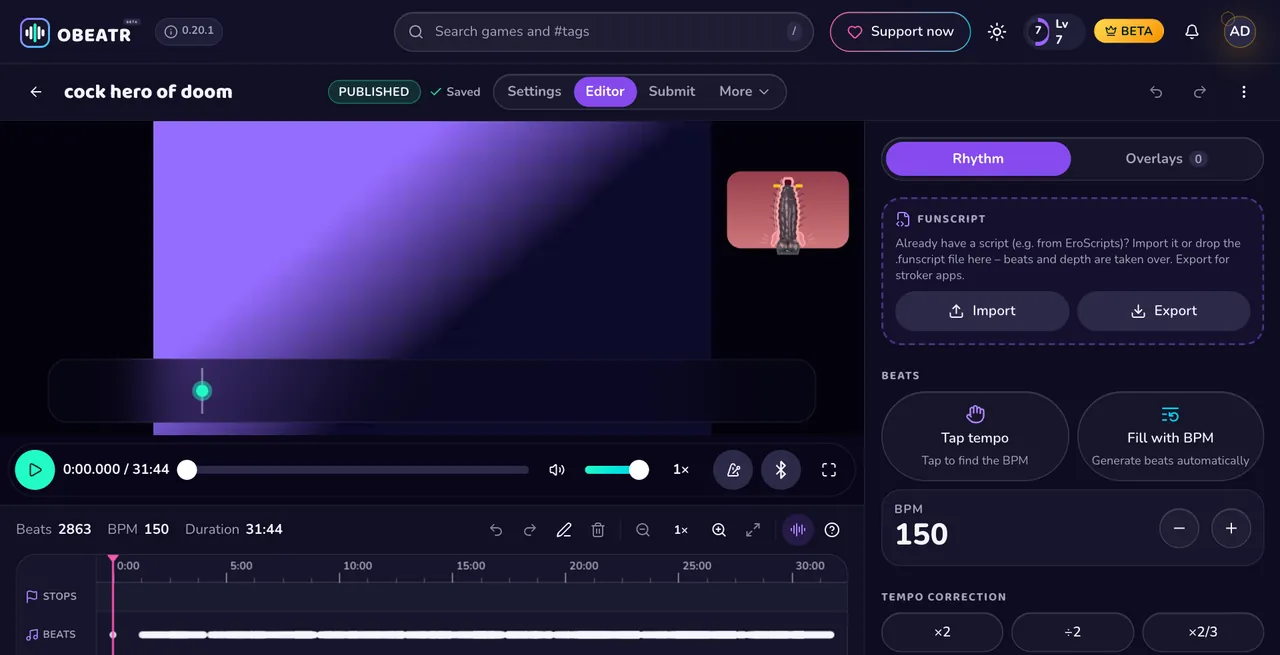
OBEATR is a follow-along rhythm game in the browser with no score and no failing. Most Buttplug-compatible devices, from vibrators and strokers to machines like Hismith and OSSM, follow the game's beat and depth guide. In Chrome or Edge you can connect directly via Web Bluetooth without installing anything; in other browsers or with other devices, you connect through Intiface Central.
You play a video from your own device, which the browser plays locally, and OBEATR adds the metronome, beat bar, depth guide and commands. Creators can import a funscript or export one for stroker apps. OBEATR is currently in closed beta on desktop and mobile.
Questions & answers
What games work with Intiface?
Any game or app that supports the Buttplug protocol, including video and funscript players, rhythm games, interactive stories and many adult games. OBEATR supports Intiface Central as well as Web Bluetooth.
Is Intiface Central free?
Yes. Intiface Central is free and open source, available for Windows, macOS, Linux, Android and iOS.
What is the difference between Intiface and Buttplug?
Buttplug is the open-source library and protocol for controlling toys. Intiface Central is the app built on it that connects to your devices and lets games use them.
Why does my toy not show up in Intiface Central?
Usually it is still connected to another app, Bluetooth is off, or the toy is not in pairing mode. Disconnect it elsewhere, restart the toy and scan again.
Do I need Intiface Central for OBEATR?
Not necessarily. In Chrome or Edge, OBEATR connects directly via Web Bluetooth. Intiface Central is the alternative for other browsers and devices.
Keep reading
Ready to follow?
OBEATR runs in your browser: your own videos stay on your device, the beat, depth guide and toys follow along.
Get beta access on Patreon18+ only. Updated 2026-10-07.